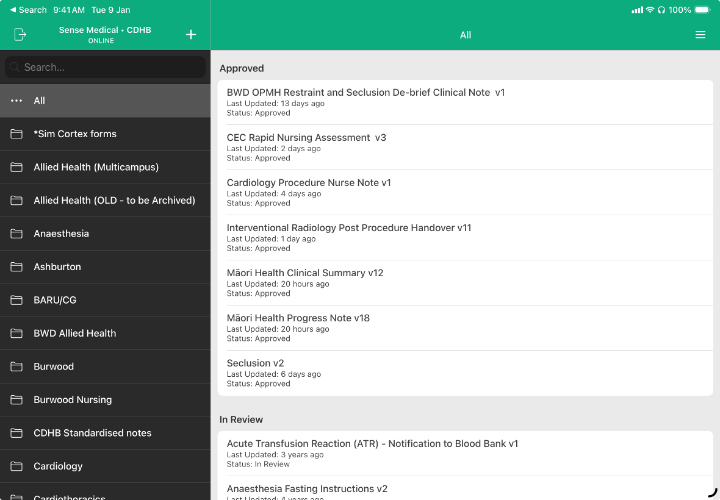
Cortex Designer
Workflows designed by the people who use them
Cortex Designer is the companion iOS app for building clinical forms in Cortex. Your clinical teams design, review, approve, and publish their own documentation, with no code and no waiting on a vendor.
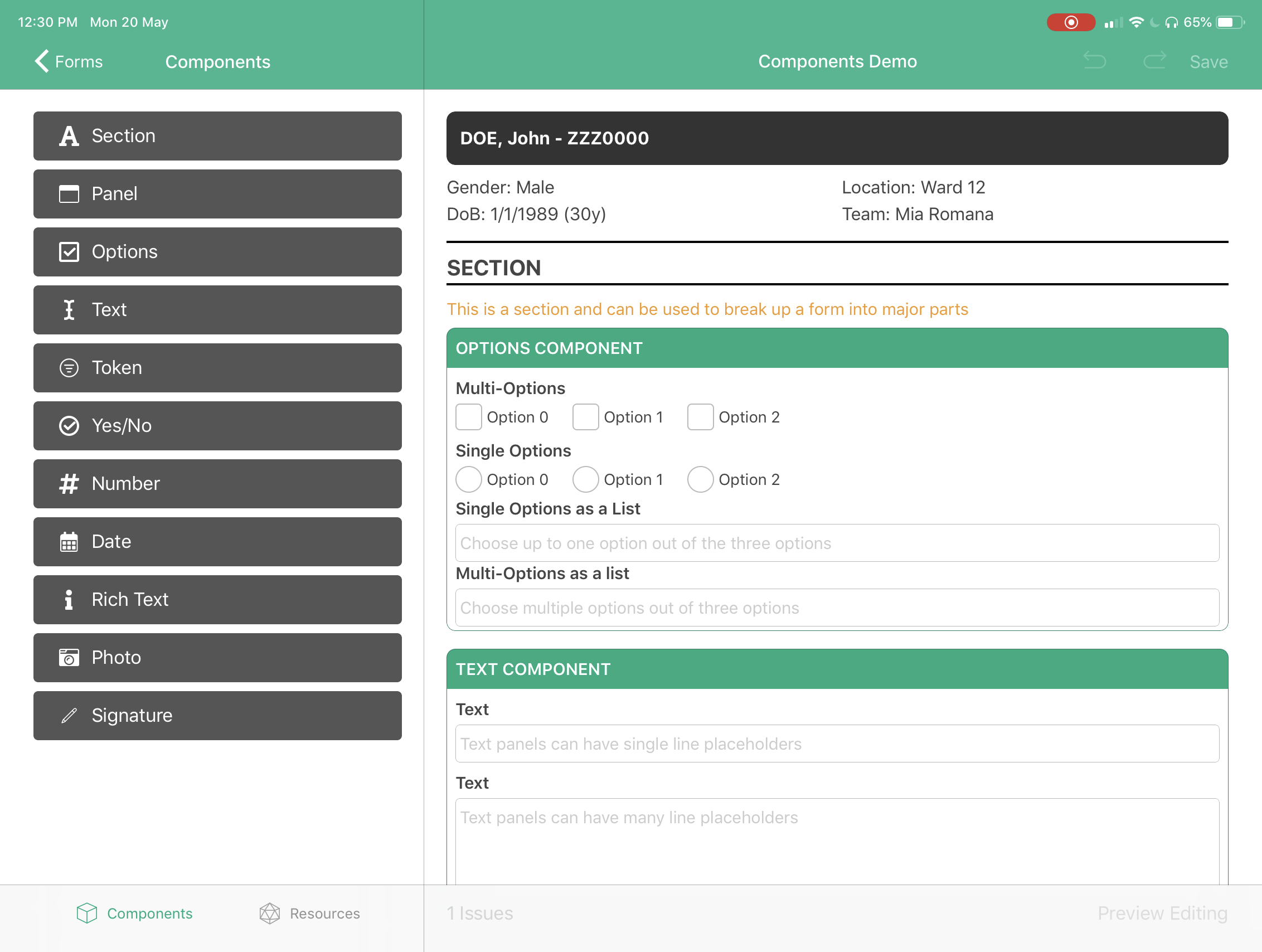
A full palette of clinical components
Build forms from the components clinical documentation actually needs, using a drag and drop, what you see is what you get editor with a live preview of the form as clinicians will see it.
-
- Structure forms into major parts with sections, and group related fields inside bordered panels. Both can contain any other component.
-
- Single line, multi-line, and formatted text alongside numeric fields with validation, for clinical notes and observations.
-
- Checkboxes, radio groups, and popup menus for clinical scores, severity ratings, and categorical assessments.
-
- Precise date and time capture with smart defaults for medications, procedures, and clinical events.
-
- Attach photos, videos, and documents to clinical records for wound documentation and imaging.
-
- Digital signature capture for consent forms, clinical documentation, and order verification.
-
- Structured entry against clinical code sets such as SNOMED CT, LOINC, and ICD-10. Tokens are what make automated coding possible.
Sections and panels
Text, rich text, and numbers
Options and yes/no
Date and time
Photos and media
Signature capture
Tokens
Rules that adapt the form to the patient
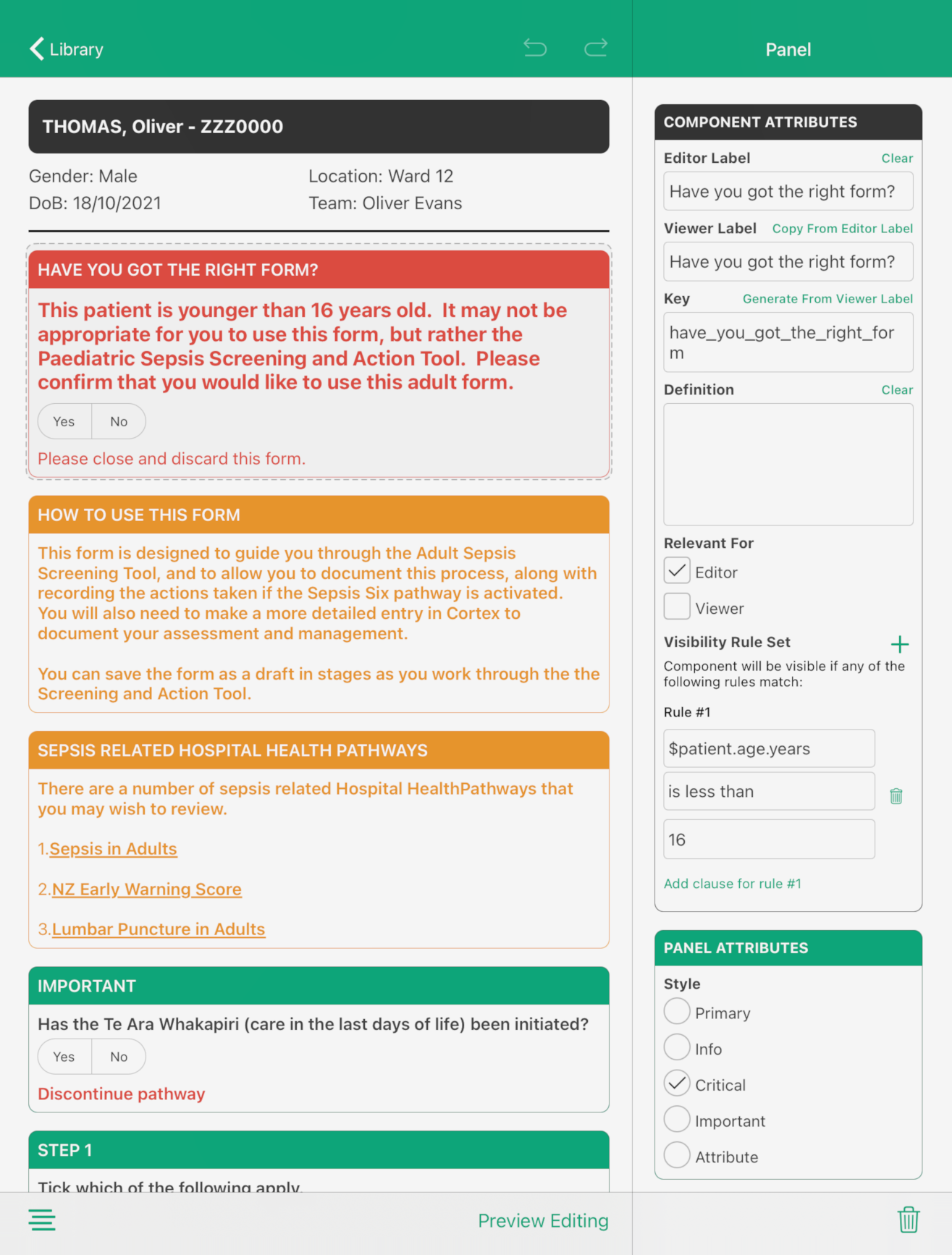
Show or hide any part of a design based on what has already been entered, so clinicians only ever see the questions that apply.
-
- Logic based rules reveal or hide components based on what has already been entered. An adult sepsis form can warn when the patient is under 16 and point to the paediatric tool instead.
-
- Separate rules control what appears when a completed document is viewed, keeping the reading experience as focused as the writing one.
Conditional visibility while editing
Conditional visibility while viewing
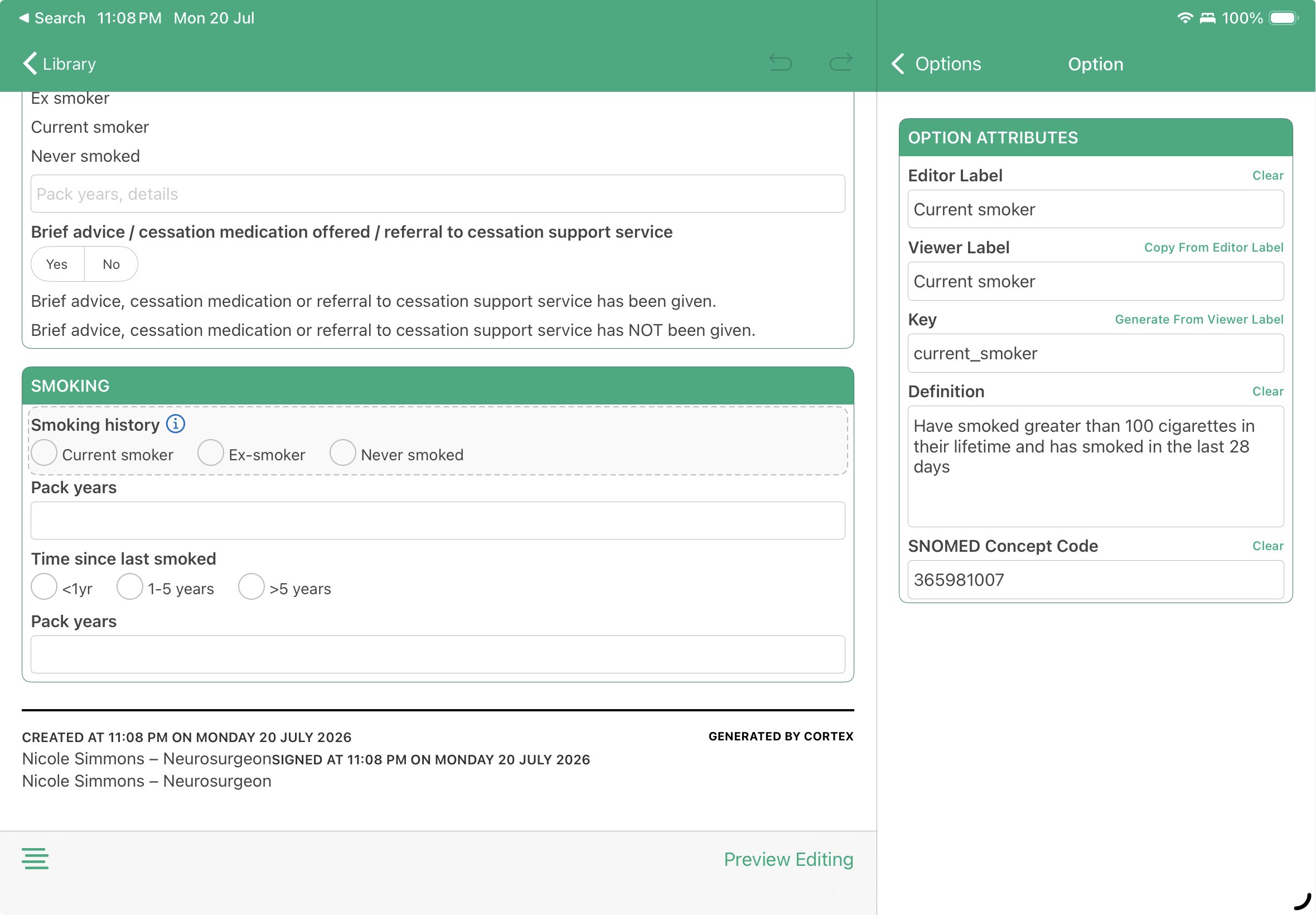
Automated clinical coding at the bedside
Token components associate SNOMED CT, LOINC, ICD-10, or organisation specific code sets with a field, so structured codes are captured in real time as clinicians document care. Coding happens as a by-product of normal documentation, not as a separate task afterwards.
Versioning and governance built in
Designs move through a controlled lifecycle from draft to published, so clinical teams can iterate quickly without anything unapproved reaching the ward.
-
- Every change creates a new design version automatically, with earlier versions preserved.
-
- Placing a design into review pauses edits while an approver verifies it works as intended.
-
- Set who checks and signs off each new version of a design.
-
- Control who can publish an approved version, making it available for use in Cortex workflows.
Versioned iteration
Review
Approve
Publish